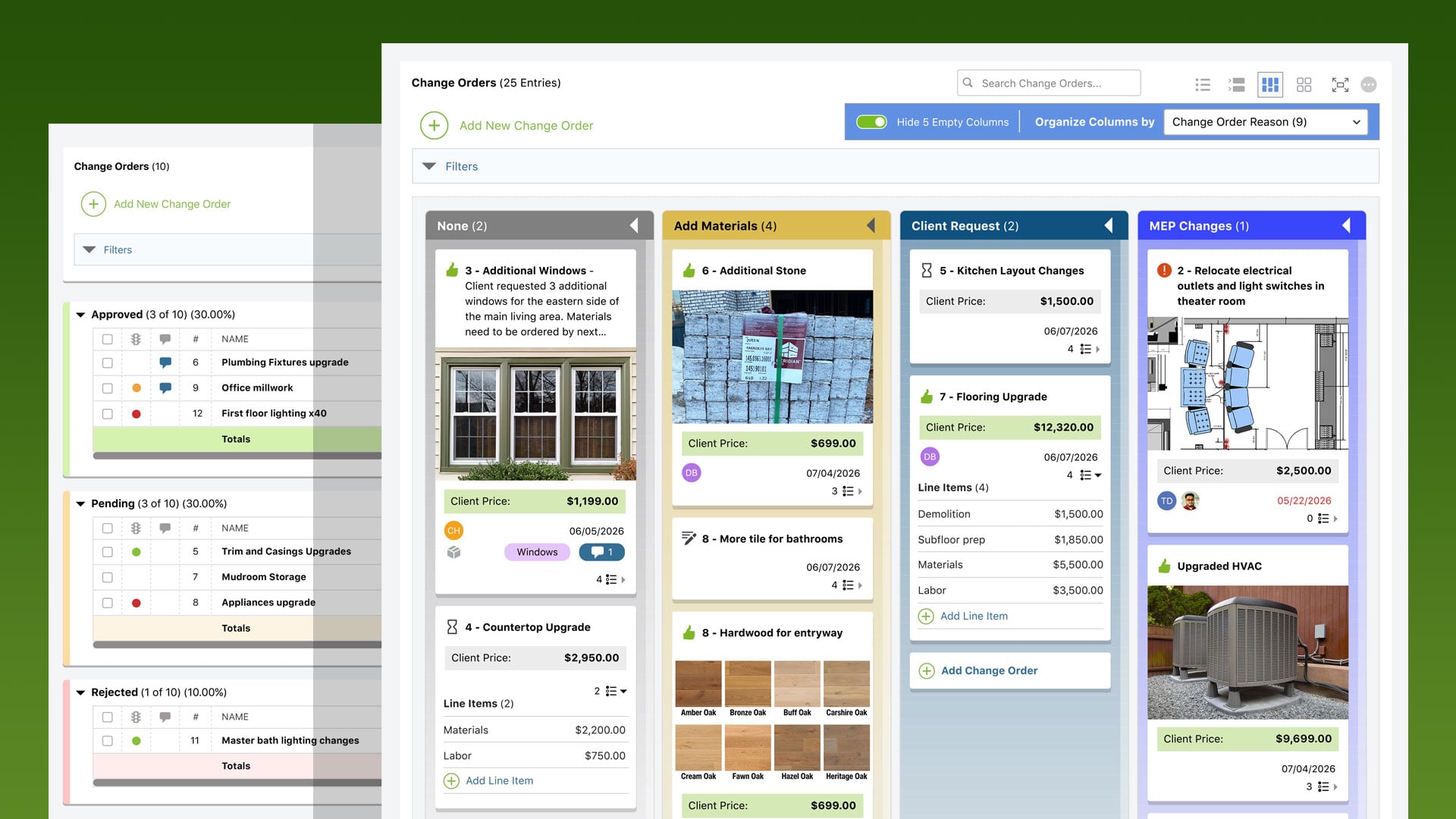
ConstructionOnline is introducing a major enhancement to Change Orders in the project management platform, designed to give builders more flexibility, visibility, and control throughout the entire change order process.
Construction teams rely on Change Orders to keep projects moving forward, but managing evolving scopes, approvals, costs, and timelines across multiple projects can quickly become complex. The redesigned Change Orders experience introduces four powerful new viewing modes, allowing teams to organize and manage construction Change Orders in the way that works best for their workflow.
Four Powerful Ways to Manage Change Orders
List View
The default interface for Change Orders, List View delivers a familiar spreadsheet-style experience with inline editing, sortable columns, and customizable column visibility. Teams can quickly update values, reorganize data, and tailor the display to match their specific preferences.
Group-by View
Group-by View makes it easy to organize Change Orders by virtually any project value, including Approval Status, Trade, Change Reason, and more. Teams can instantly access financial impact, scope changes, and approval progress across categories while also creating nested sub-groups for deeper organization and analysis.
Board View
Inspired by modern Kanban workflows, Board View displays Change Orders as interactive cards organized into customizable columns. Drag & drop functionality allows teams to move cards between stages to update statuses and values in real time—all while maintaining clear visual oversight of project changes and approvals.
Card View
Card View presents Change Orders in clean, easy-to-scan cards displaying key project details, approval information, assigned resources, pricing, and progress indicators. Built-in status tracking helps teams quickly identify signed, invoiced, paid, or pending items, and users can conveniently approve or reject Change Orders on behalf of clients directly from this view.
Enhanced Access for Clients & Subcontractors
For clients and subcontractors viewing Change Orders through the ClientLink™ and/or TeamLink™ Portals, the new List View, Group-by View, and Card View will also be available. This allows external collaborators to access and interact with Change Orders through a more streamlined, modernized interface.
The updated portal experience helps to reduce delays by making approvals and project impacts easier to understand, while also improving communication surrounding added costs, schedule adjustments, and project scope changes.
Additional Resources Available
ConstructionOnline has published several new resources to help familiarize users with the new & improved interface for managing Change Orders.
ConstructionOnline Knowledge Base
- Understanding Change Order Views
- Managing Change Orders via List View
- Managing Change Orders via Group-by View
- Managing Change Orders via Board View
- Managing Change Orders via Card View
Users can also reference the updated Getting Started Guide for Change Orders to access a quick-start overview of the new functionality and intuitive Change Order workflows.

Additionally, the recording of ConstructionOnline's recent webinar exploring best practices for managing construction change orders and showcasing the four new viewing modes is available to view on-demand: Discover Better Change Order Management in ConstructionOnline.
Continuing the Evolution of Construction Management Software
This latest enhancement reflects ConstructionOnline's continued focus on delivering intuitive and highly customizable tools built specifically for the way modern construction teams operate.
By introducing multiple dynamic views for Change Orders, ConstructionOnline gives builders greater visibility into project changes, stronger workflow flexibility, and more efficient collaboration between office staff, field teams, clients, and subcontractors.
The new Change Order views are available to current ConstructionOnline users beginning Wednesday, May 20. For assistance, contact the ConstructionOnline Team via phone or live chat.